Start Designing for Free!
By Bliss & Bone
May 2024
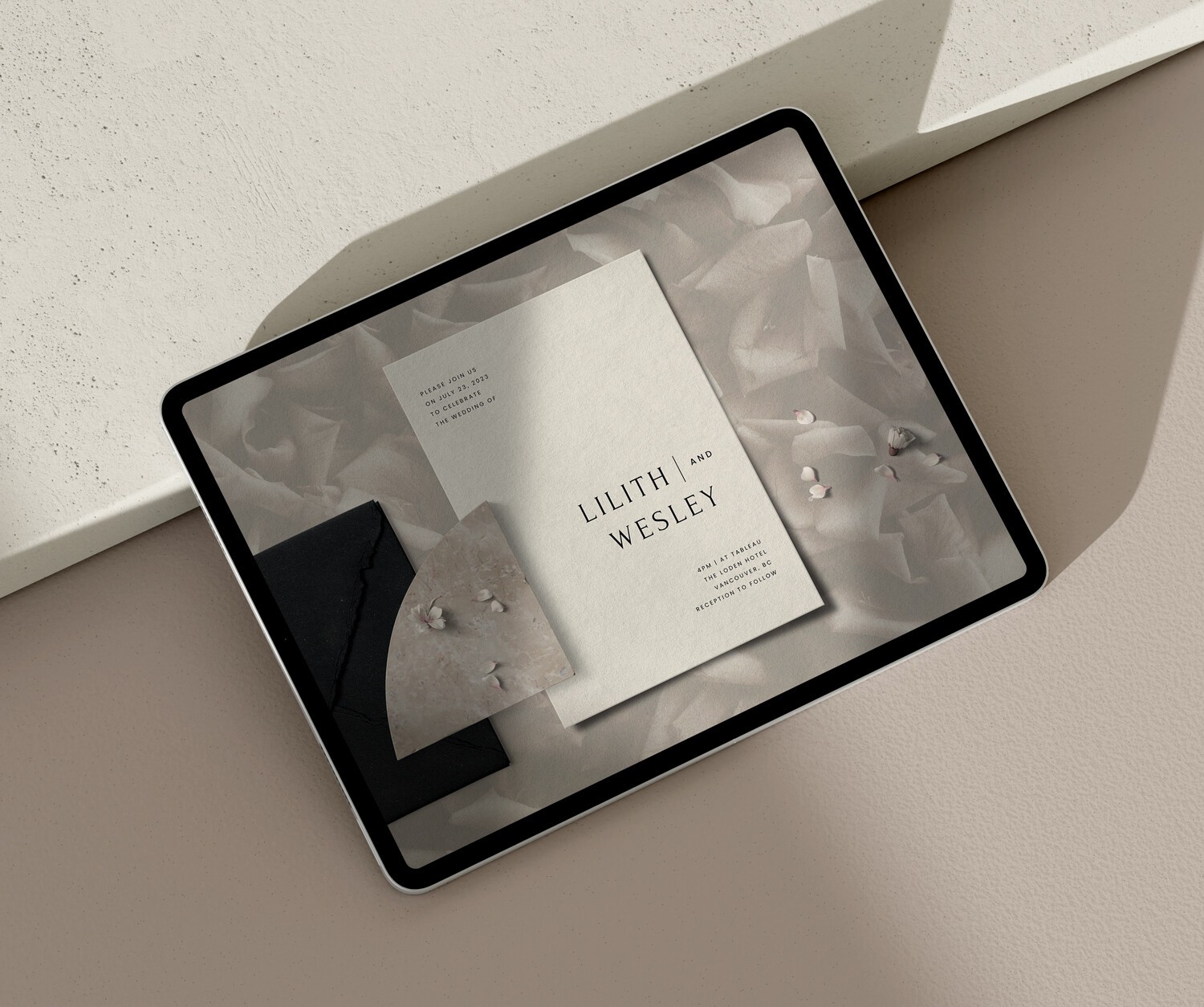
An online wedding invitation maker is a design platform that lets you build, customize, and send your wedding invitations without working with a printer or a professional stationer. You choose a design, add your details, and send, with RSVP tracking, reminders, and guest management built in. Bliss & Bone's card builder handles all of it in one place. Browse designs at online wedding invitations.
Not all makers are built the same. The design quality, delivery options, and RSVP functionality vary significantly between platforms, and those differences show up on your wedding day, not during setup.
Design quality. Generic platforms produce generic invitations. A well-designed digital invitation uses the same typographic care and visual detail as a printed card: clean hierarchy, coordinated color, and a layout that reflects the tone of your wedding. Look for a platform with a curated collection rather than a library of hundreds of undifferentiated templates.
Built-in RSVP. The invitation and the response process should be connected. Guests should be able to reply directly through the invitation itself, not navigate to a separate platform or send an email. Responses, dietary notes, and plus-one names should appear in your dashboard automatically.
Delivery flexibility. Email is the baseline. SMS delivery and WhatsApp sharing extend reach to guests who respond faster on mobile. A maker that locks you into email-only limits your guest coverage.
A coordinated suite. Your save the dates, invitation, and wedding website should share the same visual identity. Mixing platforms creates a fragmented look across your wedding weekend communications. Look for a maker that handles the full suite from a single design collection.
Free online wedding invitation makers exist, and they come with real limitations worth understanding before you commit to one.
Most free tools offer a small selection of generic templates and basic text editing. Download your design and you'll typically find a watermark on the file. Remove it and you're looking at an upgrade fee. RSVP tracking isn't included. Guest list management isn't included. Sending by SMS or WhatsApp isn't included. You get a file. What you do with it is up to you.
Paid platforms handle the full workflow. At Bliss & Bone, online wedding invitations are $0.90 per recipient. That includes every design in the collection, built-in RSVP collection, follow-up reminders to non-responders, open tracking, and unlimited design updates after sending. No watermarks, no paywalls mid-process, no separate tools for separate steps.
The cost difference between free and paid is usually a few dollars per invitation once you account for workarounds. For most couples, the workflow alone justifies the difference, particularly when managing a guest list of 100 or more.
Bliss & Bone's card builder is designed to give you meaningful creative control without requiring a design background. Here's how the process works.
Choose your design. Browse the full collection: modern and minimalist, botanical and floral, destination and tropical, classic and formal. Every design is part of a coordinated suite that extends to save the dates and your wedding website. If you want to see how a design looks across the full collection before committing, preview mode shows you.
Customize the card. Click into the builder and start with the card itself. Adjust background color, swap typography, or keep the template exactly as it is. Upload your own artwork, logos, or a wedding monogram and drop it directly into the layout.
Add layering and effects. This is where the builder goes beyond basic template editing. Add object overlays, shadow effects, card borders, or textural elements to make the design yours. Move, resize, or remove any illustration or graphic in the template. Designs like Hendrix, Arden, and Kinsley are built to carry customization well: strip them back or layer them up depending on your aesthetic.
Write your invitation text. Add your host line, names, date, time, venue, and RSVP deadline. The full wedding invitation wording guide covers every host line variation with ready-to-use examples if you need a starting point.
Set up delivery. Customize the email your guests receive. Add your guest list (names and email addresses) directly in the platform or upload a spreadsheet. Choose delivery by email, SMS, or WhatsApp link.
Send and track. Once sent, your dashboard shows who's opened the invitation, who's responded, and who needs a follow-up reminder. Send reminders to non-responders with one click at any time.
The timeline for online wedding invitations follows the same calendar as printed ones.
Send six to eight weeks before your wedding date for local or regional weddings. For destination weddings, holiday weekends, or weddings where guests are traveling internationally, send eight to ten weeks out. Your guests are coordinating travel around the wedding itself, so the more lead time, the fewer logistical questions you field later.
Save the dates go out well before invitations: six to twelve months in advance for most weddings, earlier for destination. If your save the dates and invitations come from the same platform and design collection, the handoff between them is seamless. For the full timeline including when to follow up with non-responders, see the guide on when to send wedding invitations.
One practical note on process: the card builder lets you customize and preview your invitation before purchasing, so you can finalize the design and wording at your own pace, then send when the timing is right.
A platform that lets you design, customize, and send wedding invitations digitally, with built-in RSVP collection, guest list management, and delivery by email, SMS, or WhatsApp. Bliss & Bone's card builder handles design through delivery in one workflow, without switching between tools.
At Bliss & Bone, online invitations are $0.90 per recipient. RSVP tracking, follow-up reminders, and design updates after sending are included. There's no subscription and no additional charge for the card builder itself. You pay per send.
For most couples, no. Free tools typically include watermarks on downloads, no RSVP tracking, limited design options, and no delivery infrastructure. The workarounds cost time and often money. Paid platforms handle the full workflow for under $1 per guest.
Yes. Bliss & Bone coordinates digital and printed wedding invitations across the same design collection. Many couples send digital invitations to most of their guest list and printed invitations to guests for whom paper feels more appropriate. Both versions share the same visual identity.
Choose a design with traditional serif typography and a restrained layout. Classic, Formal, or Letterpress styles from the collection work well. Use formal wording conventions: spell out dates and times in full, include titles on the host line, and use "Request the Honor of Your Presence" for religious ceremonies. Formality comes from design and wording, not delivery format. For wording guidance, see wedding invitation etiquette.
Your venue name and full address, the ceremony date and time, reception details if the reception is at a different location, your RSVP deadline, and your guest list with email addresses. If you're using a wedding website to collect RSVPs, have that URL ready to link from the invitation.
Ready to start? Browse the full collection of online wedding invitations to find a design, or explore wedding invitation ideas if you're still deciding on the look. Prefer something tangible? Printed wedding invitations are available in the same design collections and coordinate across both formats.